![ProTop-helpnb.png]](https://help.wss.com/hs-fs/hubfs/ProTop-helpnb.png?height=39&name=ProTop-helpnb.png)
Click the avatar near the bottom of the left side menu to open the Account Settings page:
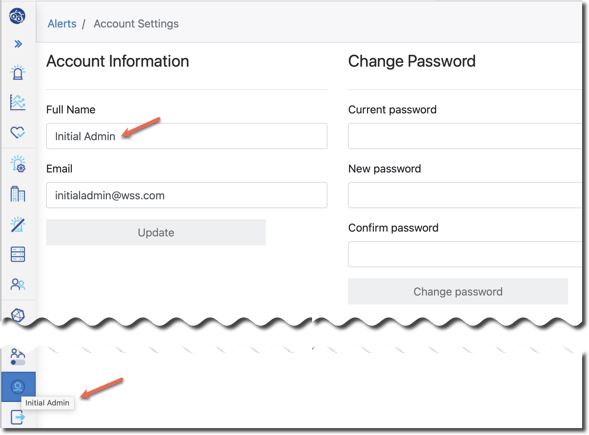
Here you can:
- Update your password - on the right side of the screen.
- Change your "Full Name" - shown in the tooltip you see when you hover over the Account Settings icon in the side menu.
- Change the email address you use to log into the portal.