![ProTop-helpnb.png]](https://help.wss.com/hs-fs/hubfs/ProTop-helpnb.png?height=39&name=ProTop-helpnb.png)
Here are the details:
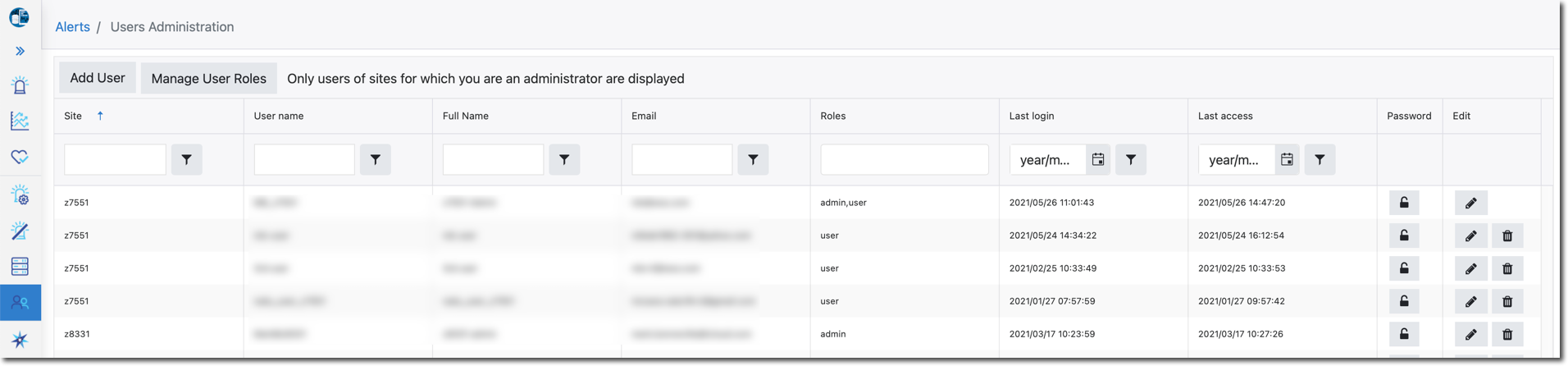
Click on any column header to group records according to entries in the column. Click cycles through:
1) Default order
2) Sorted in ascending column entry order
3) Sorted in descending column entry order
| Field | Description |
| Site | Site name (as found in [PROTOPDIR]/etc/custid.cfg) |
| User name | User code |
| Full Name | Full name |
| Email address for the user | |
| Roles | See the Roles table at the bottom of this page |
| Last login | Date/Time the user last logged in to ProTop |
| Last access | Date/Time the user last interacted with ProTop. Example: You logged in @ 08:00, but you last requested an action @ 10:20 |
| Password (icon) | Click to reset user password |
| Edit (icons) | Click to edit or delete the site record |
Add User button
Allows the administrator to add user records:
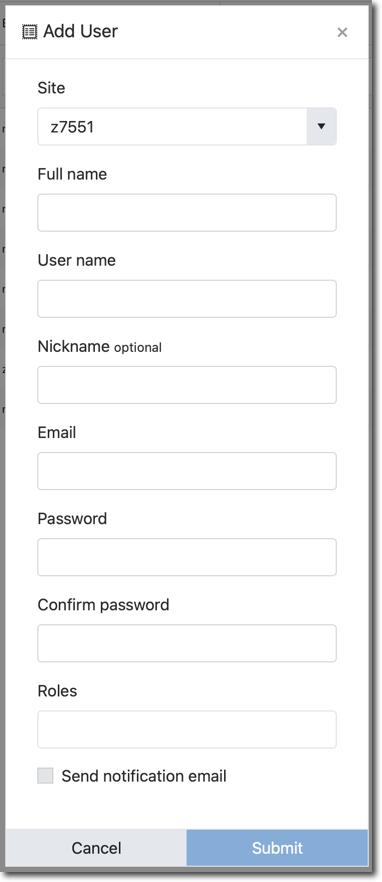
| Field | Description |
| Site | Site name (as found in [PROTOPDIR]/etc/custid.cfg) |
| Full name | User's full name |
| User name | User record code |
| Nickname optional | Common name for the user |
| Email associated with User name | |
| Password | Password for User login |
| Confirm password | Enter the password for a second time to verify no typos |
| Roles | See the Roles table at the bottom of the page |
| Send notification email | Click the checkbox to send a confirmation email to the new user |
Manage User Roles Button
Allows an admin to manage roles for users of multiple sites. This feature is intended for scenarios such as an administrator (perhaps a consultant) assigned the admin role for multiple sites.
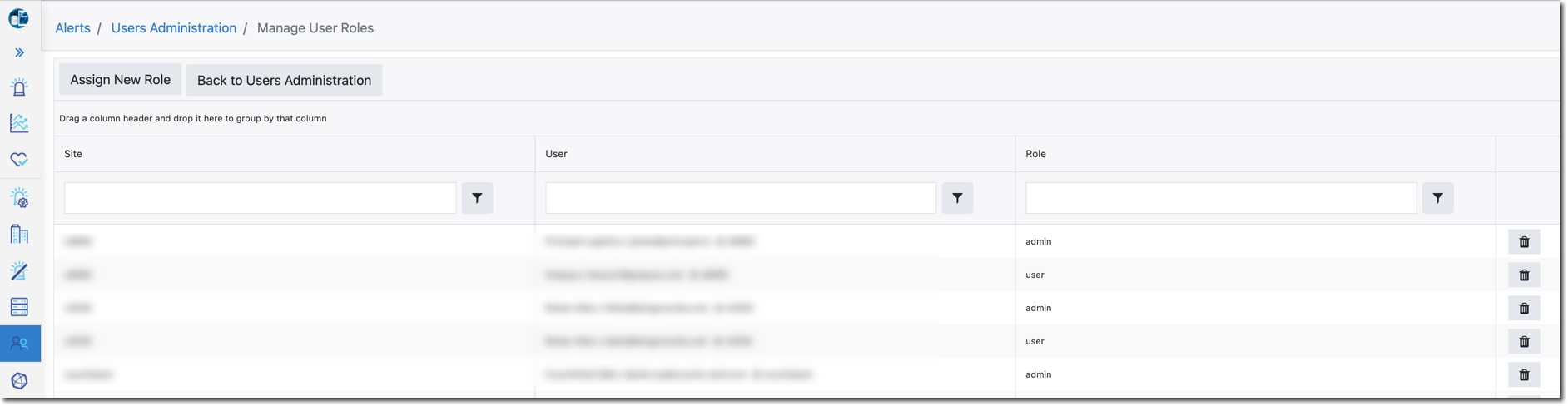
Click on any column header to sort records according to entries in the column. Click cycles through:
1) Not sorted in column order
2) Sorted in ascending column entry order
3) Sorted in descending column entry order
| Field | Description |
| Site | Site name (as found in [PROTOPDIR]/etc/custid.cfg) |
| User | User code |
| Role | See the Roles table at the bottom of this page |
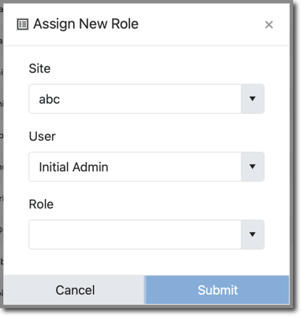
Assign New Role Button
Allows the administrator to add roles for unrelated sites to the same user:
Roles
| Role | Features |
| user |
Read only access to announcements, alerts, trends, health checks and uploads for assigned sites. |
| admin |
User role plus administation of announcements, alert responses, outages, resources, users of assigned site(s). |
| portal admin |
Admin role for all sites plus administration of sites, alert response services, API Keys, outages, users, and portal configuration. |
| superadmin | WSS staff and specific designees can administer all aspects of the portal and all client data as well as view-as a different user and run the Portal in demo mode. |